Download and convert online videos locally
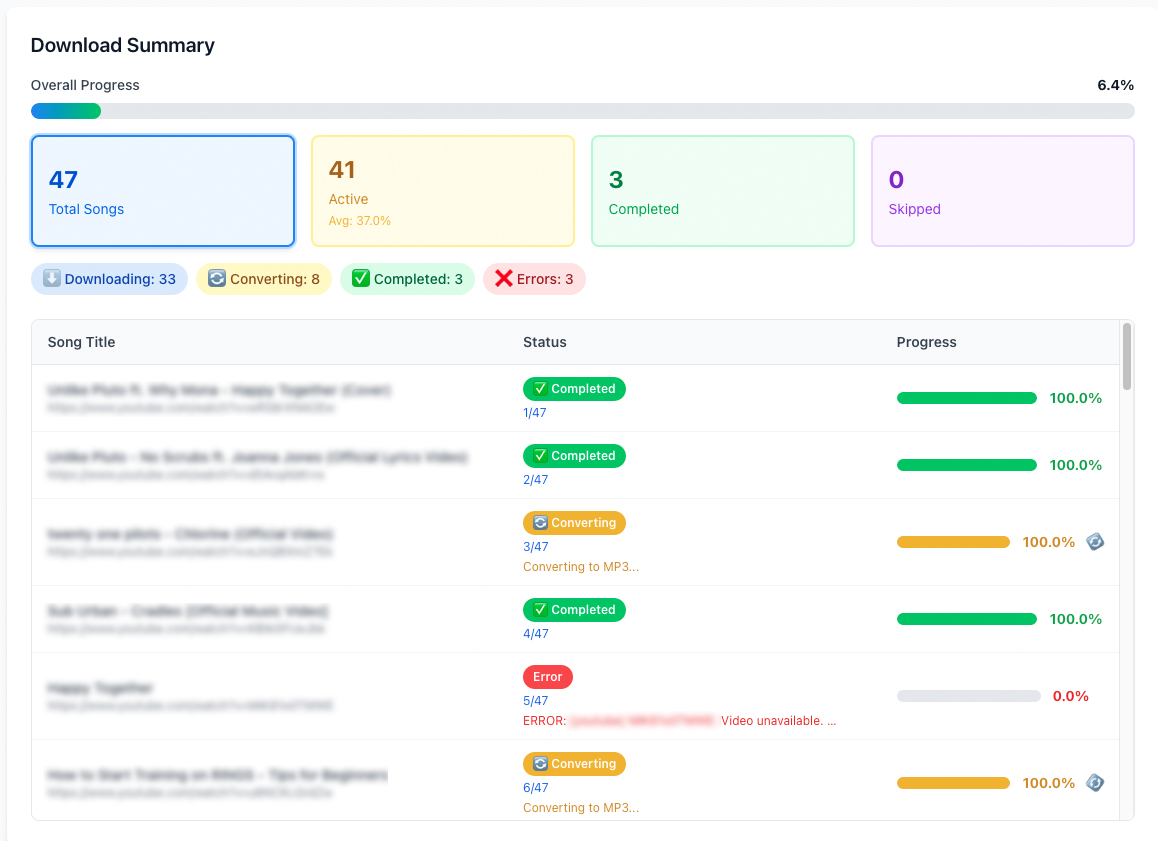
ClipSetGo is a simple desktop app for downloading videos and playlists from popular online video platforms and converting them to MP3 or MP4. Everything runs locally on your computer.
ClipSetGo is built for people who want a reliable, local way to save videos or extract audio for offline use. Paste one or more video or playlist links, choose MP3 or MP4, and let ClipSetGo handle the rest.
Runs on Mac and Windows
Local app, no cloud
One-time purchase
No recurring fees
Your data stays local
No uploads required
What it does
- •Download individual videos or entire playlists
- •Convert videos to MP3 for audio or MP4 for video
- •Batch processing with multiple links at once
- •Runs entirely on your computer, no cloud processing
- •Supports private or age restricted content when permitted
- •Skips files that already exist to avoid duplicates
How it works
- Paste video or playlist links
- Choose MP3 or MP4
- Start the batch process
- Files are saved locally on your computer
Why a desktop app instead of online converters?
Typical online converters
Often require uploading files, may limit file size, and depend on a third-party server. Your files leave your device.
ClipSetGo
Runs entirely on your Mac or Windows PC. No uploads, no file-size limits from a server, and your media never leaves your computer.
Downloads
Get ClipSetGo for Mac (Apple Silicon) or Windows. Choose your platform and download below.
Go to downloadsPricing
One-time license. No subscription, no hidden fees.
Valentine's Day offer
Free download
Valid until 14 February 2026
$5
Lifetime license for one Mac or Windows PC (after offer)
Responsible use
ClipSetGo is a general-purpose, local conversion and organization tool which runs entirely on the user’s device and does not host, distribute, or provide access to any content. It is not affiliated with any company or organization.
You are solely responsible for ensuring that your use of ClipSetGo complies with applicable laws and the rights of content owners. Use this app only with content that you own, have licensed, or are otherwise legally permitted to download or convert (for example, content clearly offered for personal download by the rights holder).
ClipSetGo does not encourage, promote, or support infringement of copyright or other laws, and does not monitor, control, or have visibility into how the app is used.